How do I setup my feature license on Strapi Cloud?
Last updated: April 10, 2026
Setup Strapi Feature license
Once you have purchased your feature license you can use this license locally, self-hosted, or on Strapi Cloud; these instructions are for using license on Strapi Cloud. For self-hosted or local usage please see:
📄 How do I setup my feature license on Self-Hosted or Local?
When Do You Need a Feature License on Strapi Cloud?
Important: Strapi Cloud subscriptions are separate from CMS feature licenses. Even if you have a paid Strapi Cloud plan, you still need a separate CMS license to access premium features like Content History, Review Workflows, and other advanced CMS functionality.
Strapi Cloud pricing covers hosting services only
CMS feature licenses are required for premium CMS features available in our Growth and Enterprise plans(whether self-hosted or on Cloud)
If you only have a Strapi Cloud subscription without a CMS feature license, you won't be able to access premium CMS features even though your application is hosted on a paid Cloud plan.
Linking or unlinking a license key will trigger a new deployment which can temporarily cause your application to be slow or unresponsive to any requests
First ensure you have your license key, if you have not purchased one please see our Pricing page or contact our sales team
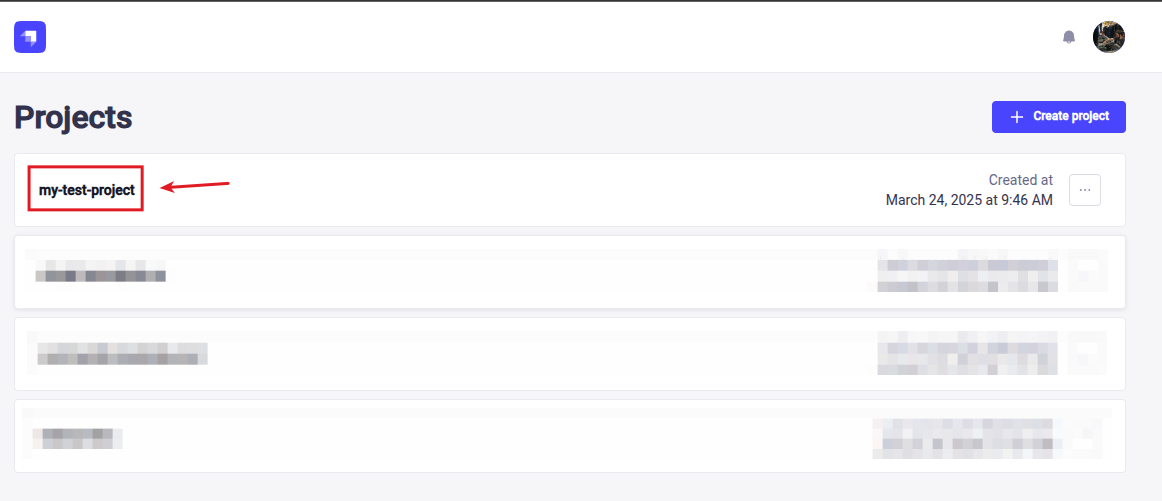
Once you have your license key, navigate to the Strapi Cloud Dashboard and select your project
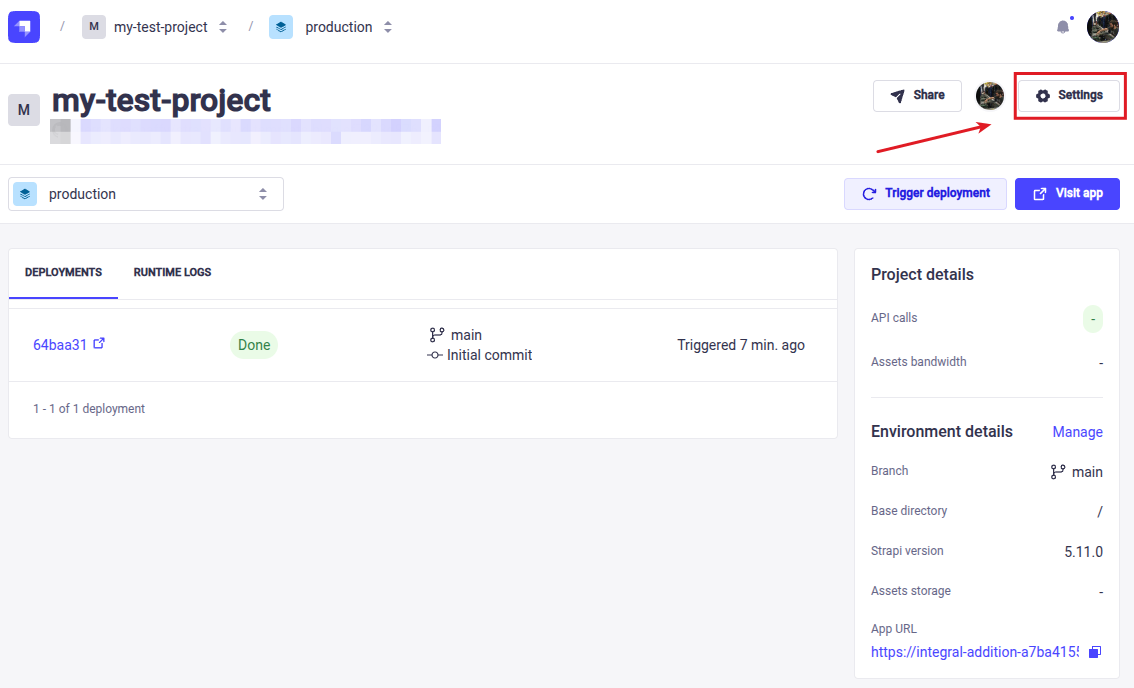
In your project, navigate to the settings
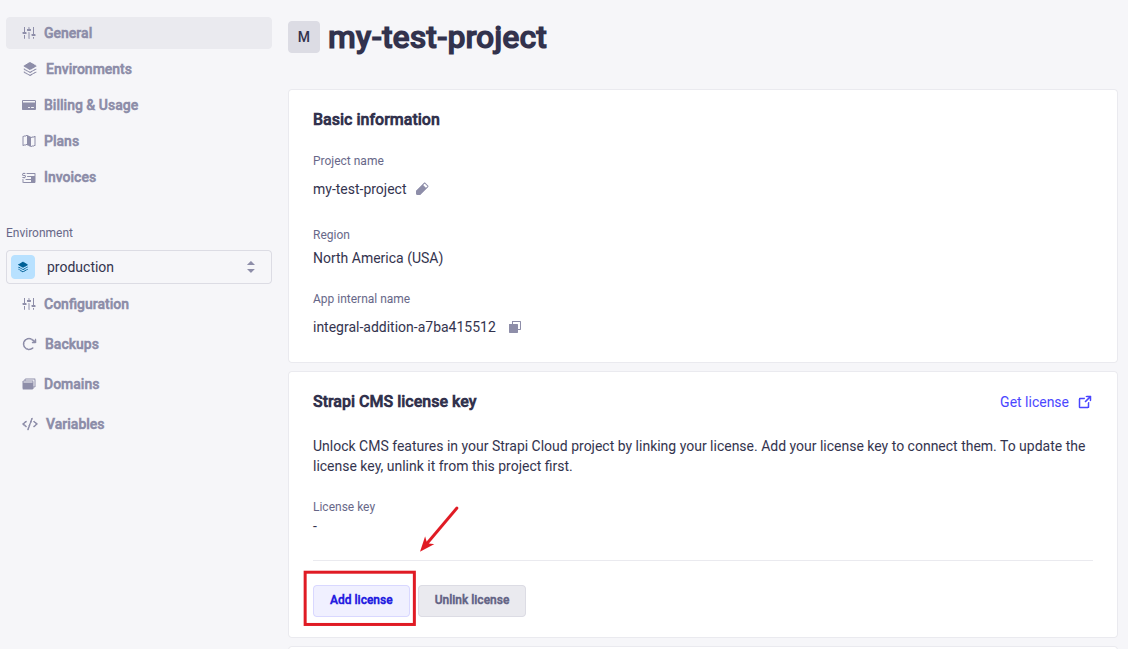
Within the General settings there a "Strapi CMS License key" area, click on "Add license"
Paste your license key and hit "Save"
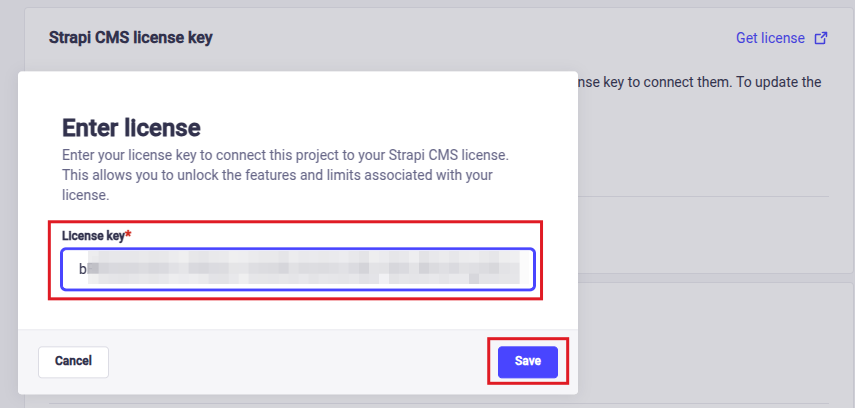
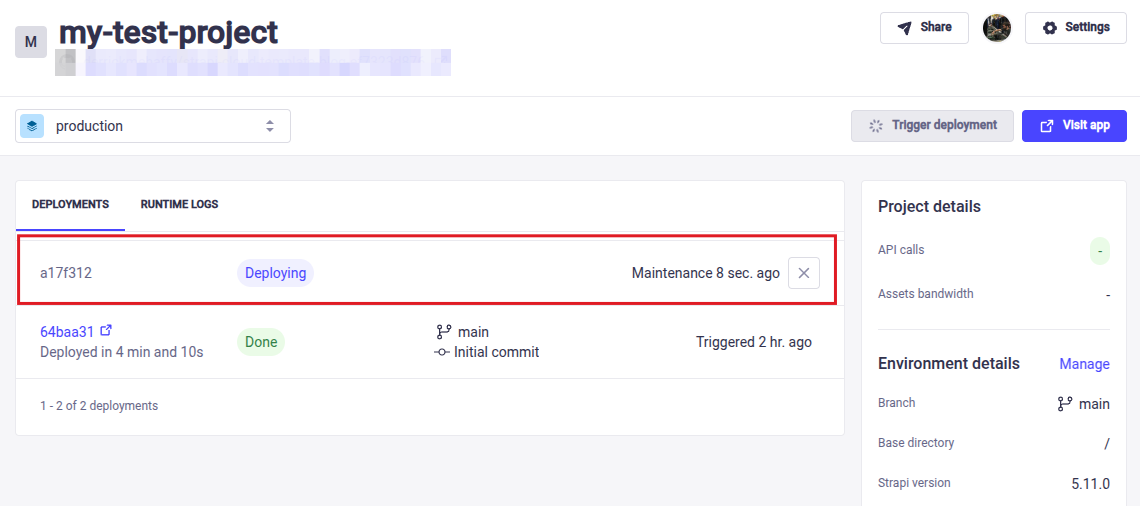
When the key has been applied it will trigger a new deployment to ensure the features are enabled
Understanding Premium Feature Tags
After successfully adding your license key, you may notice that premium features still display a "⚡ Premium Feature" tag in the admin interface. This is expected behavior and does not mean the feature is unavailable to you.
The premium feature tag serves as a visual indicator that the feature requires a paid license, but if you have a valid license key installed, the feature will function normally.
For example, in Single Sign-On settings, you'll still see the premium feature tag even when SSO is fully activated and working. The key difference is that with a valid license, you can access and configure the feature settings, whereas without a license, the feature would be completely inaccessible.