Understanding Strapi Cloud usage and billing
Last updated: September 18, 2026
Strapi Cloud offers three paid plans: Starter, Pro, and Business. Each plan includes specific features and usage limits.
Strapi Cloud
Strapi CMS paid features are separate from your Strapi Cloud plan and require additional licensing. Strapi Cloud pricing covers hosting only - even if you have a paid Cloud plan (Starter, Pro, or Business), you still need to purchase a separate CMS Growth or Enterprise license to access paid CMS features like Content History, Review Workflows, and SSO. If you'd like to purchase paid features, or add SSO to your CMS, you can review the CMS pricing.
Additional CMS features and Single Sign-On (SSO)
Strapi CMS paid features are separate from your Strapi Cloud plan. If you'd like to purchase paid features, or add SSO to your CMS, you can review the CMS pricing.
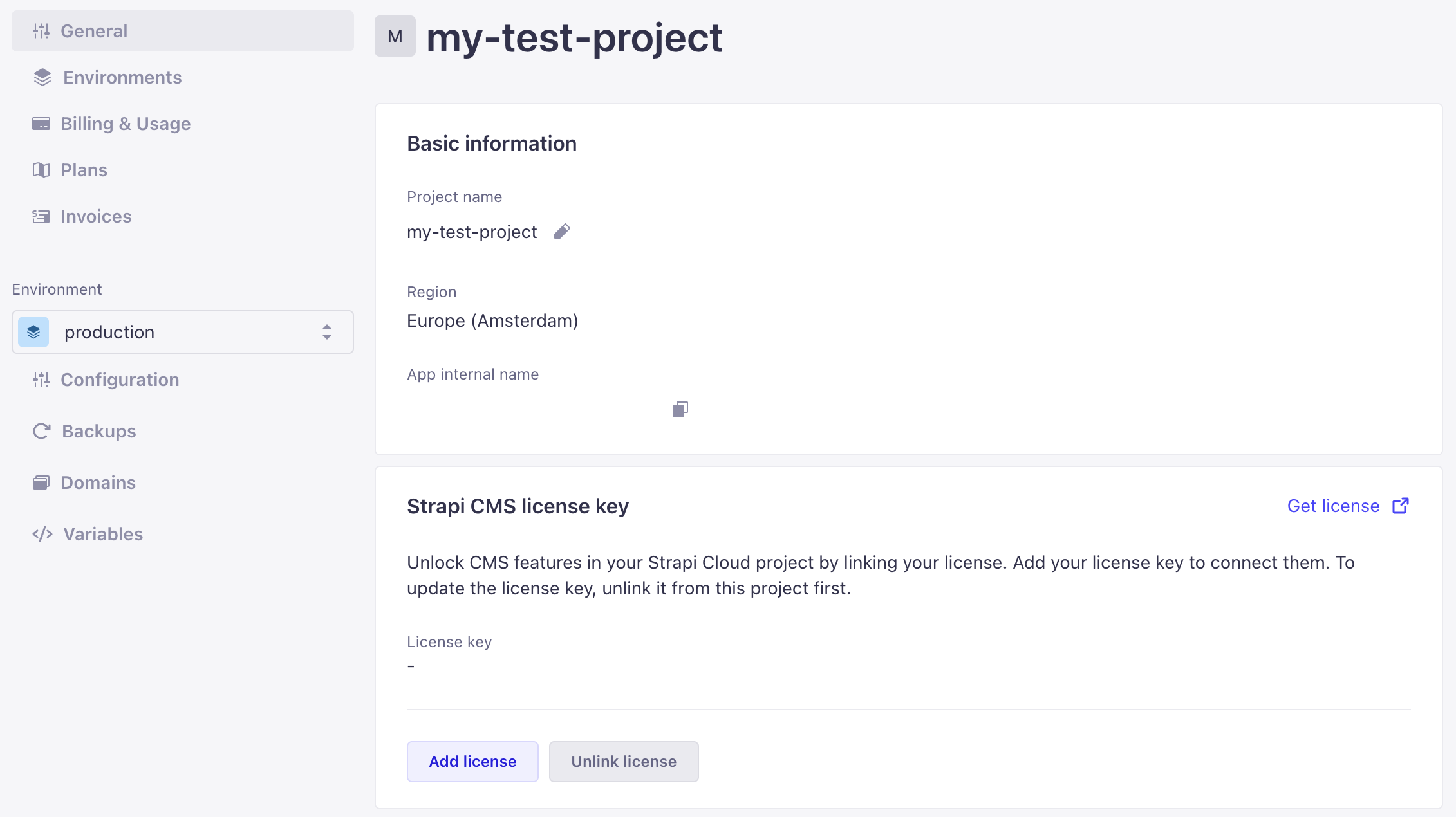
If you have purchased a CMS license for your project, you can add it to your Strapi Cloud project in the General settings of your project:
Note
Overages are charged in full at the end of your billing period and are not prorated.
Project suspension
Your project may be suspended if you:
Miss a payment
Violate terms of service
During suspension
Your application becomes inaccessible
You cannot trigger new deployments
The Strapi Admin Panel is unavailable
Recovering from payment failure suspension
Strapi automatically attempts to charge your payment method on the 1st of each month. Projects are suspended on the 6th if payment issues aren't resolved.
Before using the billing portal process, try this faster in-dashboard method:
Navigate to Settings > Billing & Usage in your suspended project.
Click the Reactivate subscription button to reattempt payment with your existing payment method.
If your project was suspended due to a failed payment, Strapi sends a series of emails over the first six days with manual payment links for immediate reactivation. You can also resolve the issue manually at billing.strapi.io, where you can update your payment method and pay outstanding invoices. Cloud subscriptions are view-only in the billing portal — payment methods and invoices are accessible, but subscription management for Cloud plans is done in the Strapi Cloud dashboard.
Go to billing.strapi.io and sign in with your email address. Enter the verification code sent to that address to continue.
Open the Payment methods tab. If your current card is invalid, add a new one and set it as the default. Add a replacement before removing an existing one. Removing a card attached to a Cloud subscription cancels that subscription.
Open the Invoices tab and locate the unpaid invoice. Unpaid invoices do not retry automatically. Pay the invoice manually to trigger reactivation.
You'll receive an email notification if your project is suspended. Check your project status anytime in the Projects section of your Strapi Cloud account. If your project doesn't reactivate within a few hours after successful payment, contact Strapi support for assistance.
For complete billing details and plan information, see the Strapi Cloud billing documentation. To manage your payment methods and invoices, or to manage a Growth subscription, go to billing.strapi.io.