Getting started with Strapi Cloud templates
Last updated: July 22, 2026
Strapi Cloud templates help you evaluate Strapi Cloud without creating a local project first. This option is particularly useful for non-technical users who want to see Strapi Cloud in action before dedicating developer resources.
Important
You'll need a valid GitHub account to store the template repository.
Follow these steps to use a template:
Navigate to cloud.strapi.io and sign in using your preferred authentication method
Click Create Project and select a plan
Look for the "Connect a repository" section below the plans and click Use Template
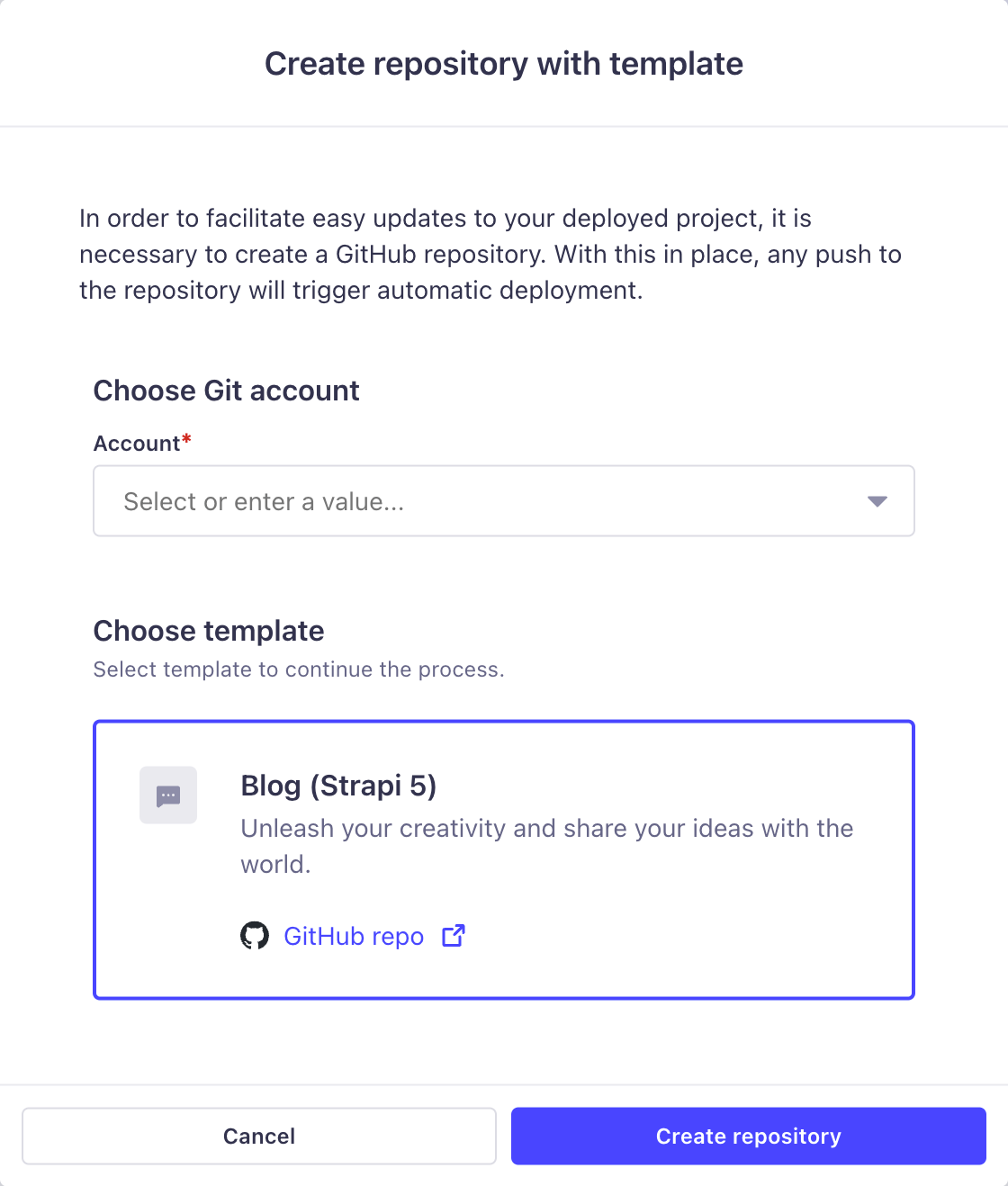
Select your connected GitHub account in the popup modal
Choose your template
Currently, we offer a blog template, with more options planned for the future
Wait for the template repository to be created in your GitHub account
Note: The repository will have a randomized name
After completing these steps:
Continue through the onboarding flow
Click Create Project to deploy to Strapi Cloud
Wait for deployment to complete
Once deployed, you'll have a working Strapi Cloud project ready for evaluation and use.
For detailed instructions about project creation, templates, and advanced configurations, visit our Strapi Cloud documentation.