Where do I find my application's project and internal/debug name?
Last updated: March 24, 2025
Strapi Cloud applications have two names that the support team may need to locate your project and it's related environments.
A "Project Name" encompasses the entire project on Strapi Cloud
It includes all of your environments
This name is originally set by you and has a random string added to the end for uniqueness
A "Debug Name" or "Internal Name" is specific to a singular project & environment
This is primarily used as a unique identifier for your application instance
This name is automatically generated and cannot be changed
Finding your project name
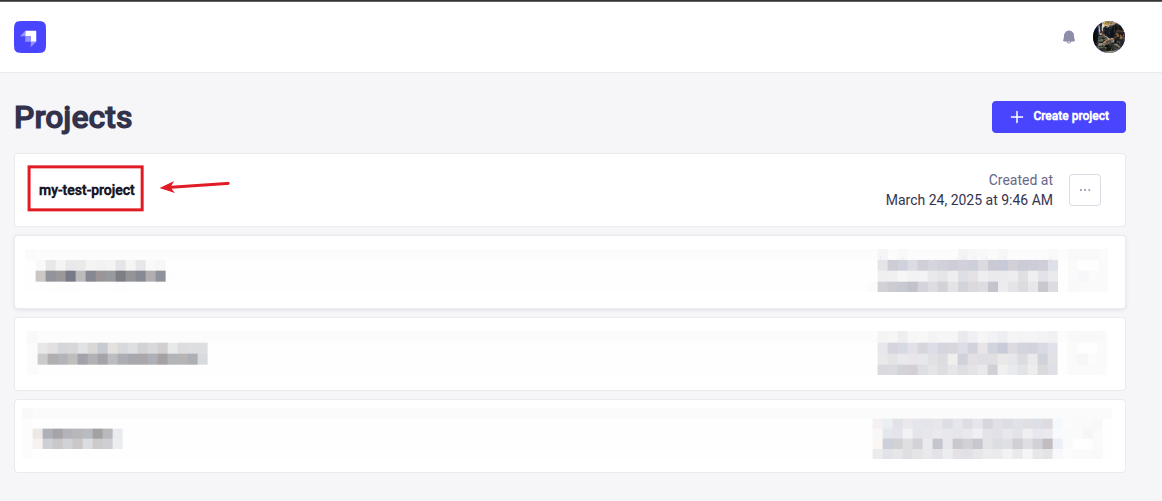
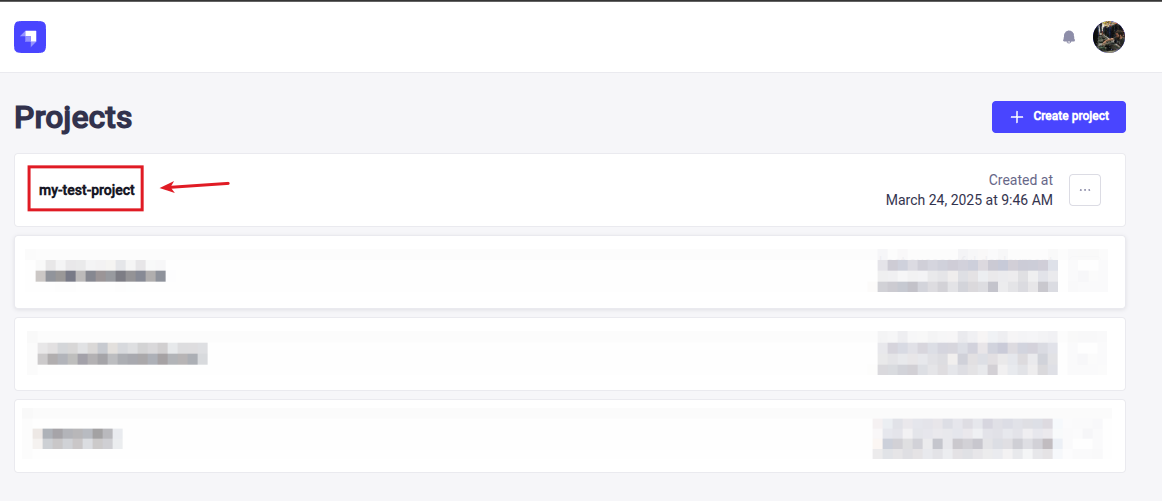
While in the Strapi Cloud Dashboard, click on the project you wish to find the name for
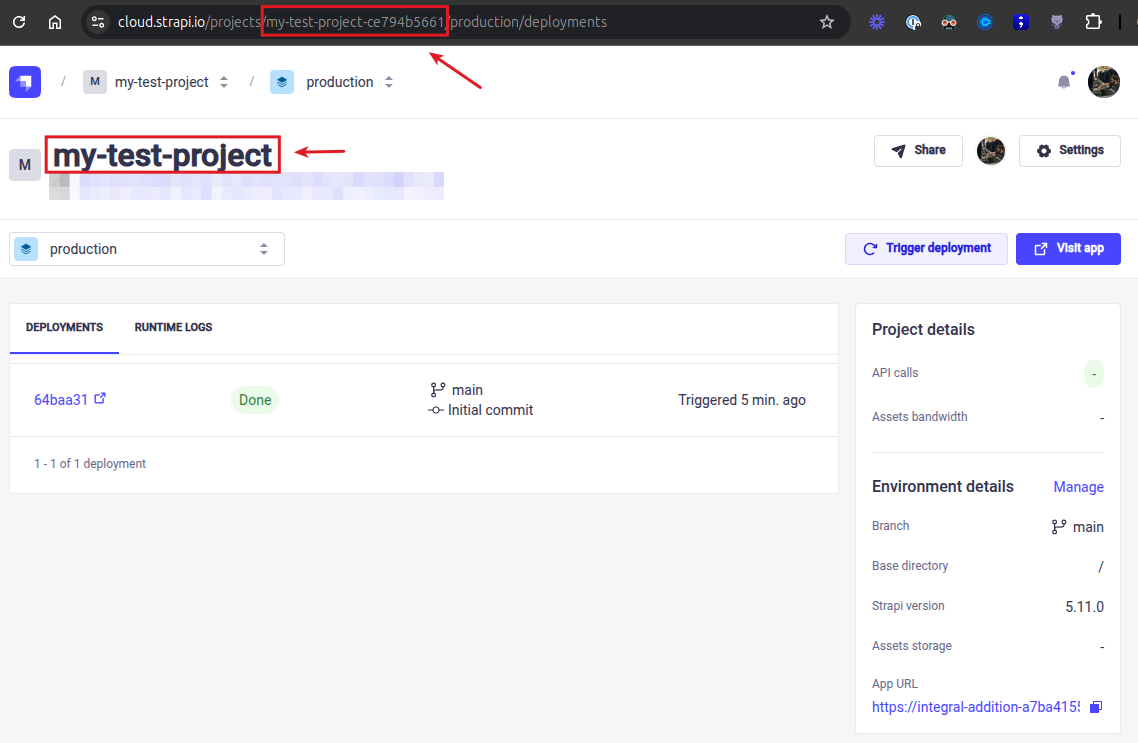
You can find the full project name within the URL bar or you can just provide us with the display name
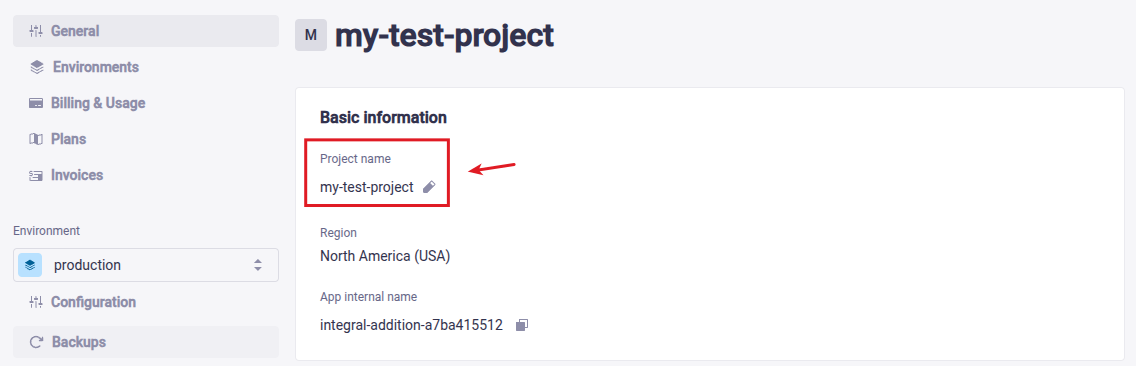
Alternatively you can see this in the application settings
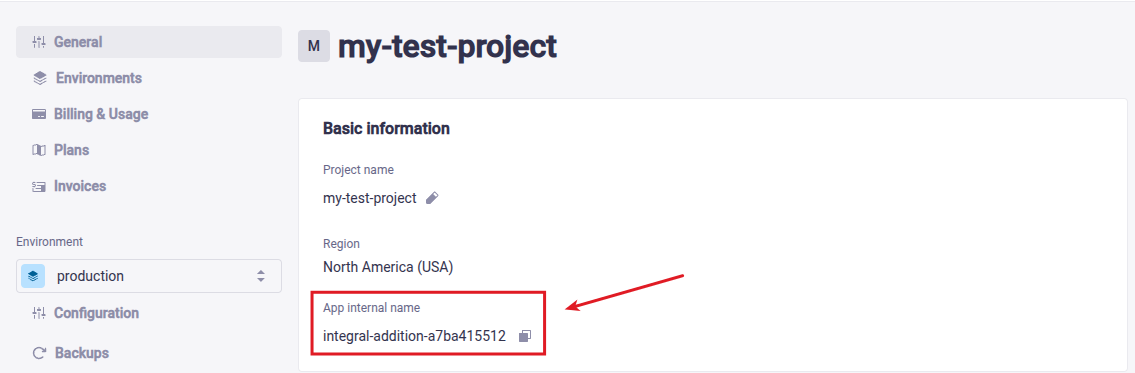
Finding your internal/debug name
While in the Strapi Cloud Dashboard, click on the project you wish to find the name for
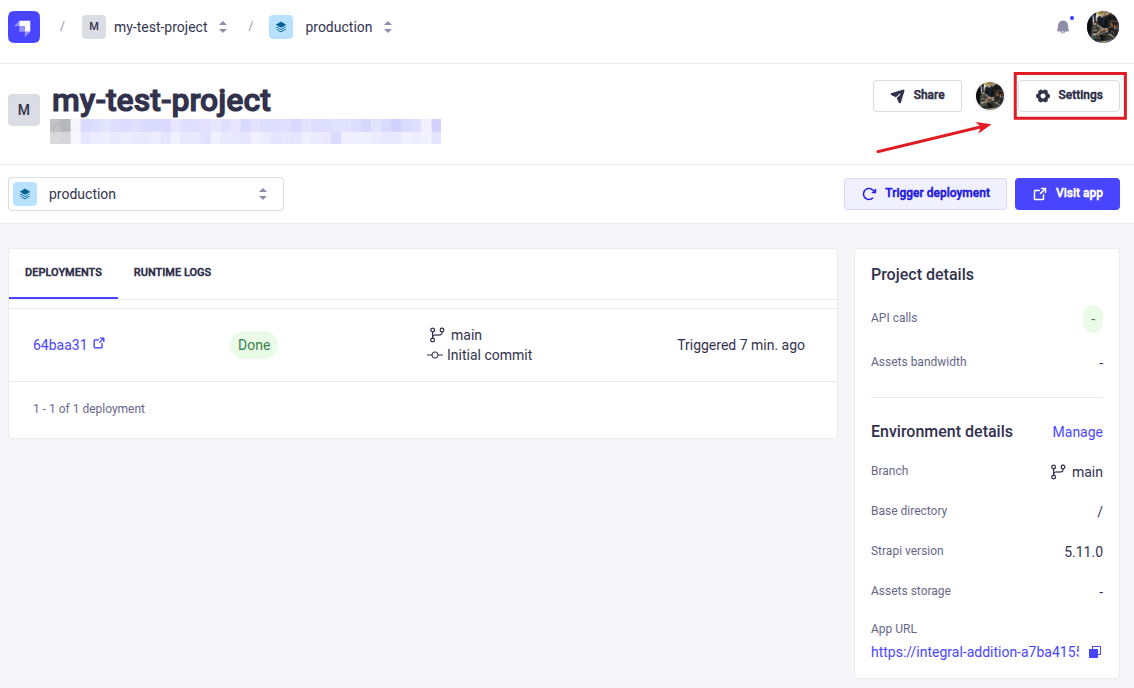
Go to the application settings
Pay special attention to the current environment if you are reporting an issue with a non-prod environment; change it if required
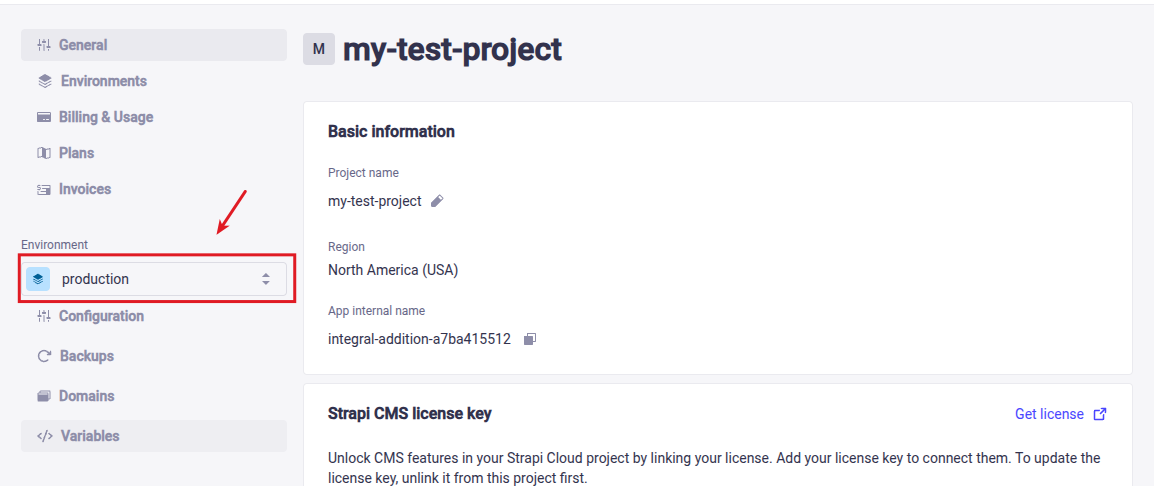
You can find the Internal/Debug name listed under the Basic information