Can I transfer my Strapi Cloud project to another user?
Last updated: July 2, 2026
Yes. Ownership transfer is now supported (Beta)
You can now transfer project ownership to any existing maintainer. This is particularly useful when the current owner leaves your organization, as only project owners can access invoices and billing in the Strapi Cloud dashboard. Maintainers do not have access to these sections there. Note that billing.strapi.io provides invoice and billing access based on the billing account email, not project role. A maintainer whose email is associated with the billing account can still access invoices at billing.strapi.io.
Who can initiate?
The current owner, or
A maintainer requesting it themselves
Once completed, the transfer is permanent until the current owner transfers ownership again.
Prerequisites:
Project must be on a paid plan (no expired cards/unpaid invoices)
Recipient must have billing info completed in the Strapi billing portal at billing.strapi.io (Billing Details tab)
No outstanding pending ownership transfer
Transfers may fail if performed on subscription renewal day (1st of each month). If that occurs and all conditions are met, wait a few hours and retry
Open the project's General tab in Strapi Cloud
In the Danger zone, click Transfer ownership
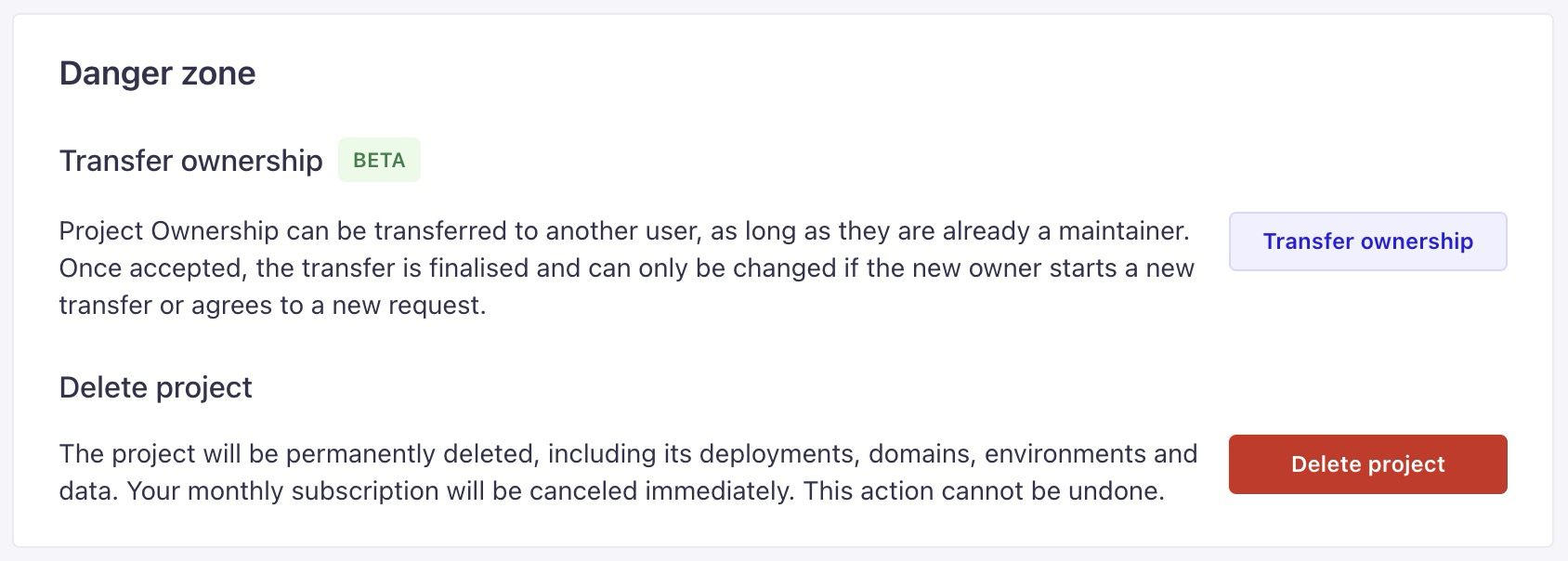
In the dialog:
Owners: Select the desired maintainer →
... > Transfer ownershipMaintainers: Locate your own name →
... > Transfer ownership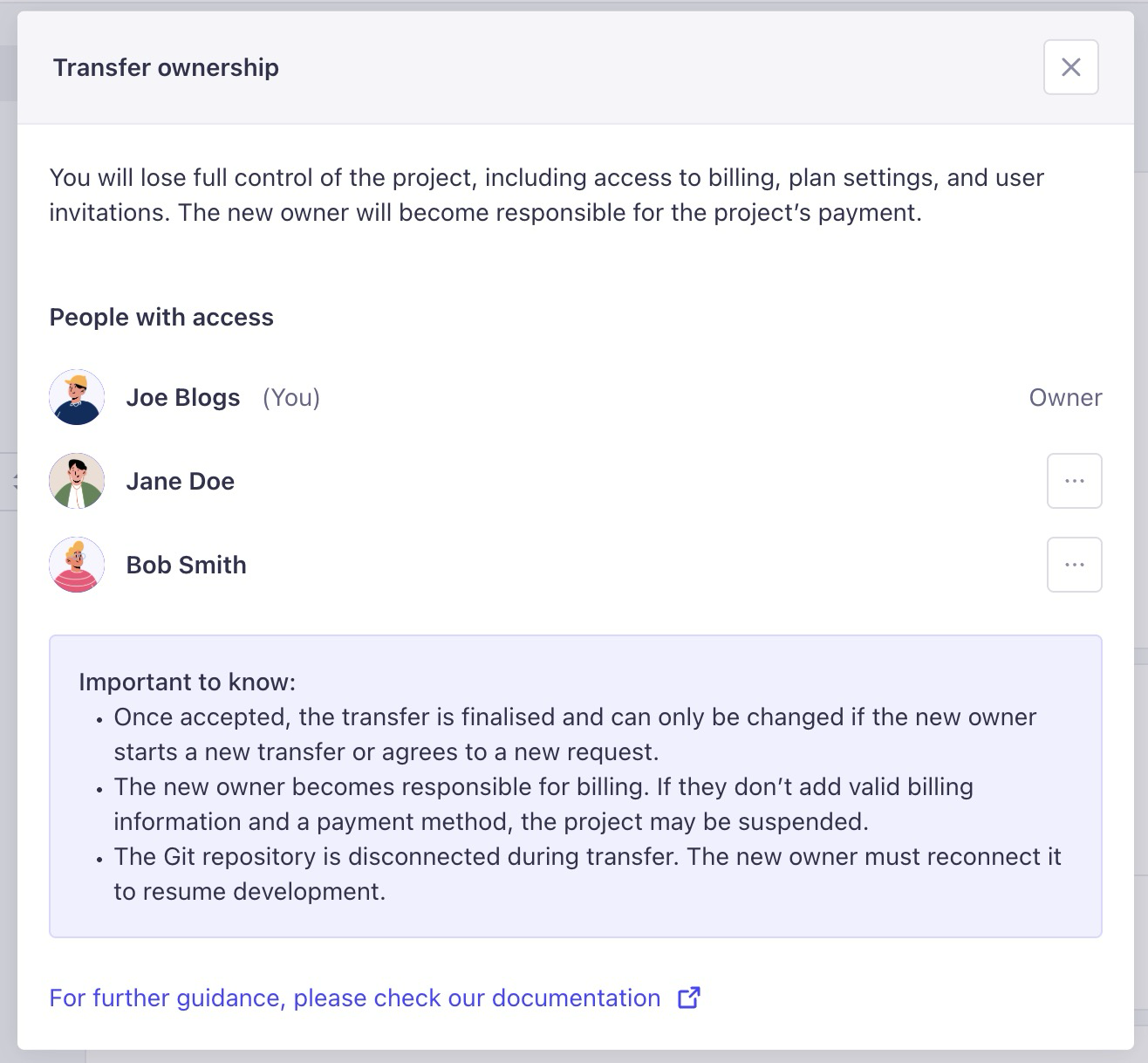
Confirm transfer in the next dialog
Both participants receive an email; recipient must click the Confirm transfer button
Once confirmed, the previous owner receives a success notification
Tip
You can cancel a pending transfer anytime before the recipient confirms it (via the same dialog where the maintainer was selected)
Once the transfer is complete, the project is disconnected from Strapi Cloud. The new owner must reconnect the project via the General tab in settings
Alternative: Migrate project content via DTS
If ownership transfer isn't suitable, you can:
Share your project with collaborators as maintainers (read/write permissions)
Or fully migrate content to a new project using the Data Management CLI with Database & Asset Transfer Service (DTS). This is also useful when you need to change your project's hosting region, which cannot be modified after project creation.
To migrate using the
strapi transfercommand:Ensure both source and destination Strapi instances are exact copies in terms of schema and configuration
Generate a transfer token from the destination Strapi instance (available in the admin panel under transfer token management)
Run the transfer command from your terminal:
npm run strapi transfer -- --to <DESTINATION_INSTANCE_URL>/admin --to-token <YOUR_TRANSFER_TOKEN> --force
Important limitations:
Admin users and API tokens are not transferred
Temporarily disable websockets or Socket.io if in use
SQLite databases will block other connections during transfer
Use
--excludeor--onlyoptions to customize transferred data
Need help? Contact our support team through the help icon in the lower right corner of your Strapi Cloud dashboard.