Using Git repositories vs CLI deployment in Strapi Cloud
Last updated: March 3, 2025
Important
The Strapi Cloud CLI is recommended for testing purposes only. For production environments, deploy your project from a Git repository (GitHub or GitLab).
While the Strapi Cloud CLI is an excellent tool for quickly launching and testing projects without a Git repository, it's not suitable for long-term use. Production-grade projects should connect to a Git repository to ensure robust source control and collaboration.
Deploying from a Git repository provides these advantages:
Maintains proper source control for managing project changes
Enables adding collaborators to your repository
Supports automated deployments triggered by commits to your selected branch
How to connect your project to a Git repository
Caution
You cannot change the project owner after creation.
Follow these steps to connect your CLI-deployed project to a Git repository:
Upload your project code to a GitHub or GitLab repository
Log in to the Strapi Cloud dashboard
Note: The project owner must perform this step
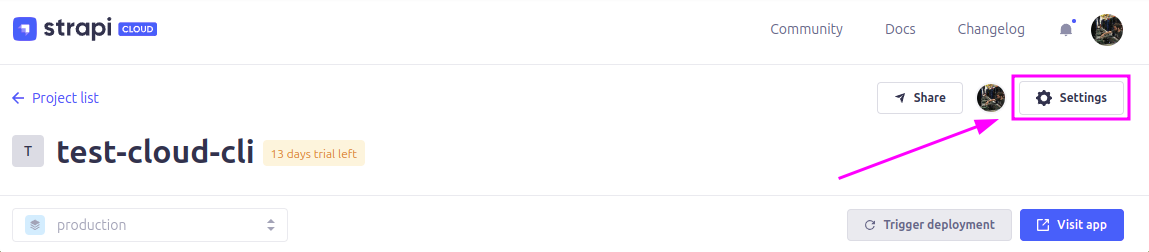
Navigate to project settings
Select the Settings section
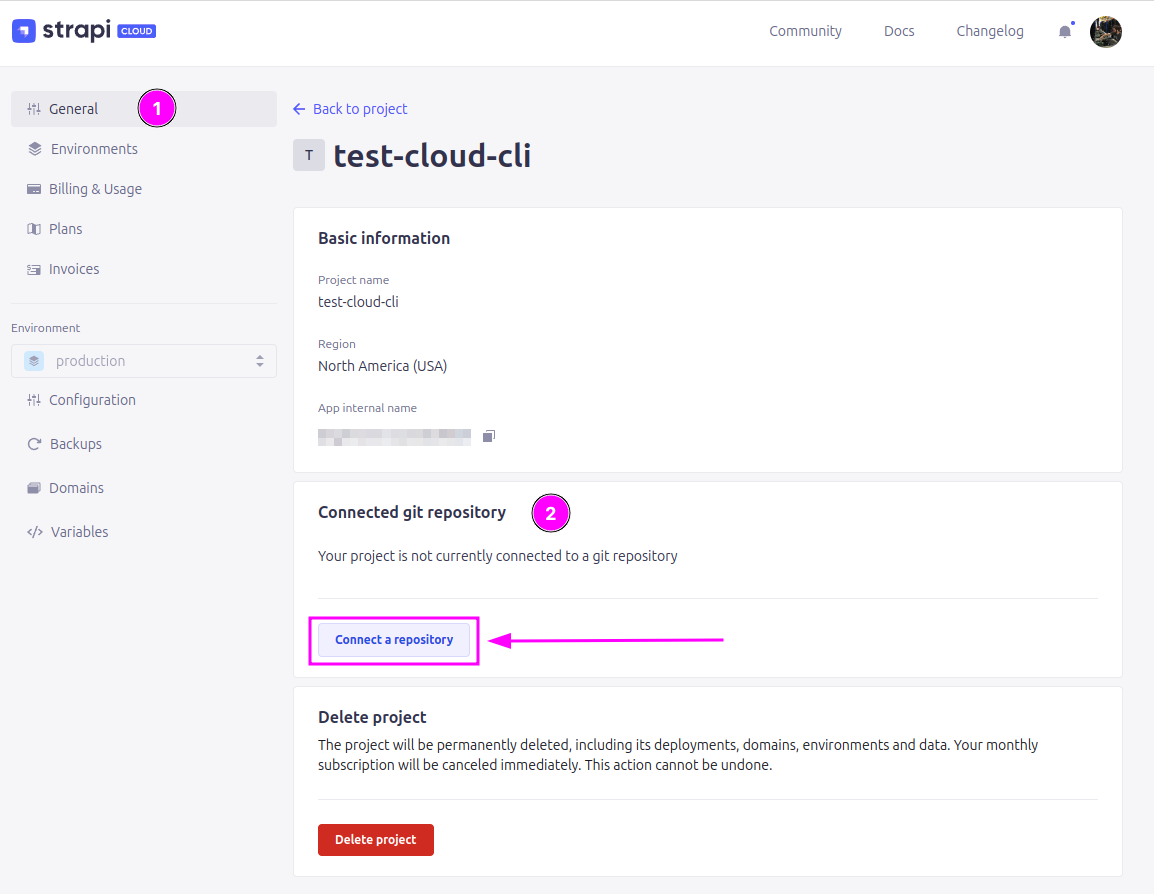
Find "Connected git repository" under the General category
Connect your repository
Click Connect a repository
Choose your Git provider (GitHub or GitLab)
Authenticate if prompted
Configure deployment settings
Select your repository and branch
Specify any additional options, such as project subdirectory location
After connecting your repository, Strapi Cloud will use it as the project's source of truth. New deployments will trigger automatically when you commit to the configured branch.