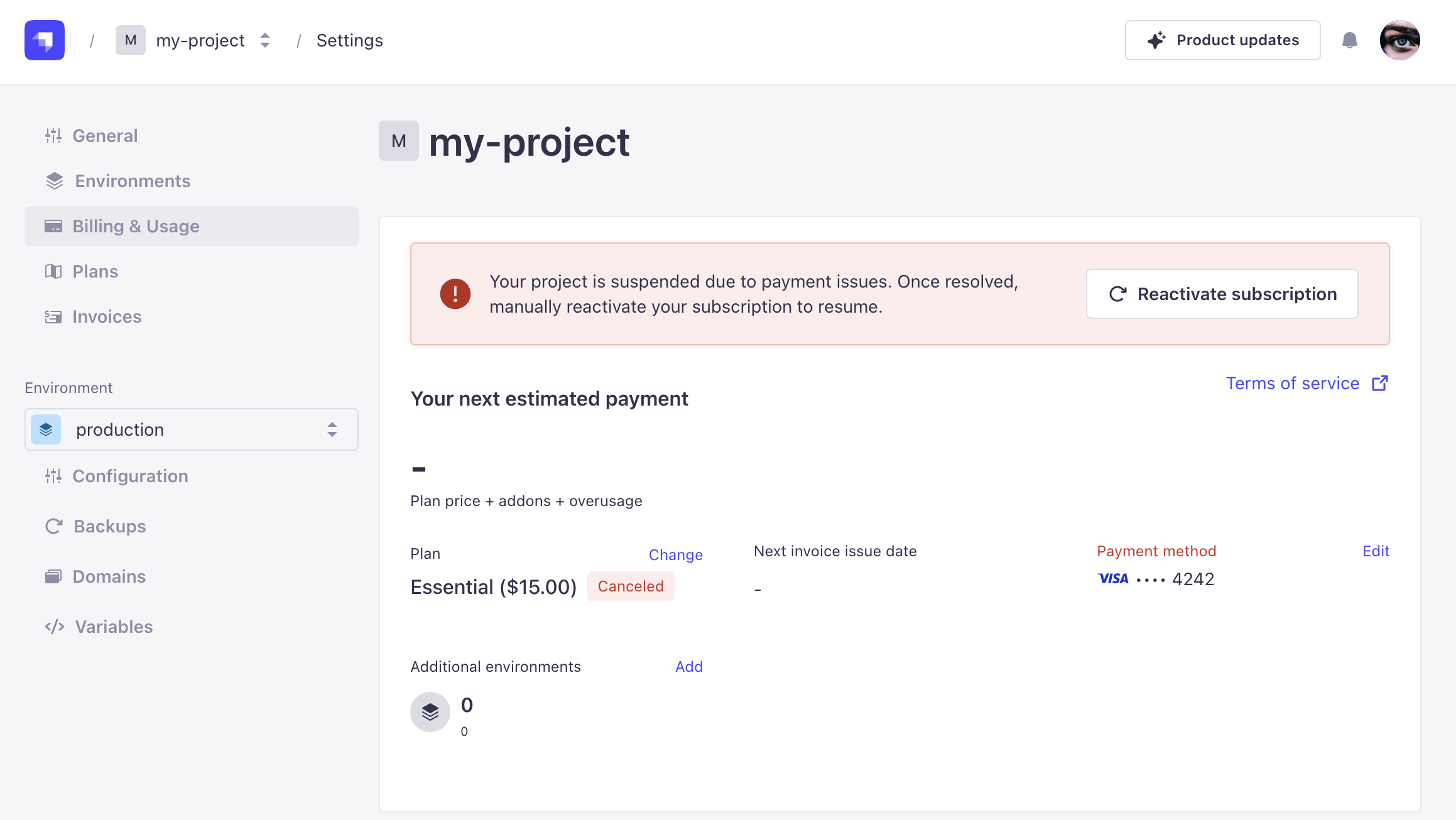
How to reactivate a suspended project after payment issues
Last updated: July 2, 2026
If your project has been suspended due to a payment failure, you can resolve this and reactivate your project by following the steps below.
Understanding payment suspension
When a payment fails, Strapi automatically sends a series of emails over the first six days containing manual payment links for immediate reactivation. If you missed these emails or need to resolve the issue manually, go to billing.strapi.io to update your payment method and pay the outstanding invoice.
Cloud subscriptions are view-only in the billing portal — you can update payment methods and pay invoices there, but subscription reactivation for Cloud projects is handled from the Strapi Cloud dashboard (see Additional recovery options below).
Steps to reactivate your project
Go to billing.strapi.io and enter your email address. Enter the verification code sent to that address to sign in.
Open the Subscriptions tab and locate the subscription for your suspended project. The subscription status shows the reason for suspension.
Open the Payment methods tab. If your current card is invalid, add a new one and set it as the default. Add a replacement card before removing the old one. Removing a card attached to a Cloud subscription cancels that subscription.
Open the Invoices tab and locate the unpaid invoice. Unpaid invoices do not retry automatically. Pay the invoice manually to trigger reactivation.
Note: Your project reactivates once payment is successfully processed. No additional steps are required.
Additional recovery options
If you've resolved the payment issue (such as contacting your bank or updating your card) but the invoice is still showing as unpaid, contact support. Our team can manually attempt to charge the card on file once the underlying issue has been resolved.
For Cloud projects, you can also reattempt payment from the Strapi Cloud dashboard. Open your project, go to Billing & Usage, and use the reactivation button. This option is visible to the project owner only.