How do I setup my feature license on Self-Hosted or Local?
Last updated: September 15, 2025
Setup Strapi Feature license
Once you have purchased your feature license you can use this license locally, self-hosted, or on Strapi Cloud; these instructions are for using license on self-hosted or local projects. For Strapi Cloud usage please see:
📄 How do I setup my feature license on Strapi Cloud?
Adding a license key requires the application to be restarted for it to take effect
Strapi uses online license checking which requires that your application must be able to reach our license servers on the public internet
For offline license support please reach out to our sales team
Troubleshooting License Validation Issues
If your license appears to be configured correctly but still shows as "Community Edition", the issue may be network connectivity to our license servers.
Common causes:
Corporate VPNs blocking access to
license.strapi.ioDeep packet inspection or SSL traffic sniffing interfering with license validation
Firewall restrictions preventing outbound connections
To diagnose connectivity issues:
Add
NODE_DEBUG=fetchas an environment variable when starting StrapiCheck the console output for requests to
license.strapi.ioIf no requests appear, your network is likely blocking access to the license registry
Resolution:
Contact your network/infrastructure team to ensure license.strapi.io is accessible from your development environment and deployment servers.
First ensure you have your license key, if you have not purchased one please see our Pricing page or contact our sales team
Once you have your license key, the license can be set in one of three ways
Using a
license.txtfile at the root of the project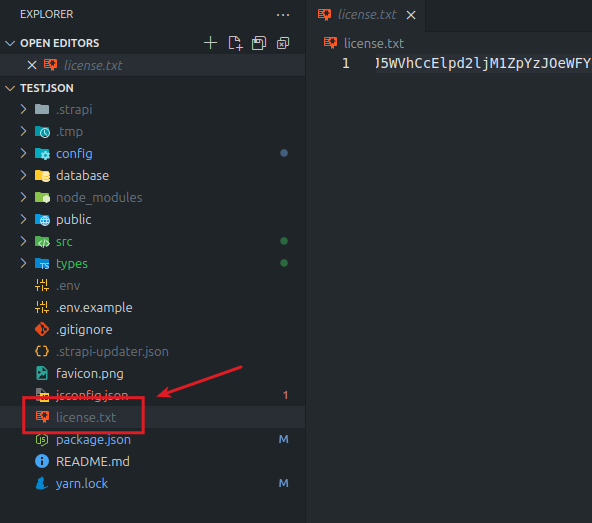
Using the
.envfile at the root of the project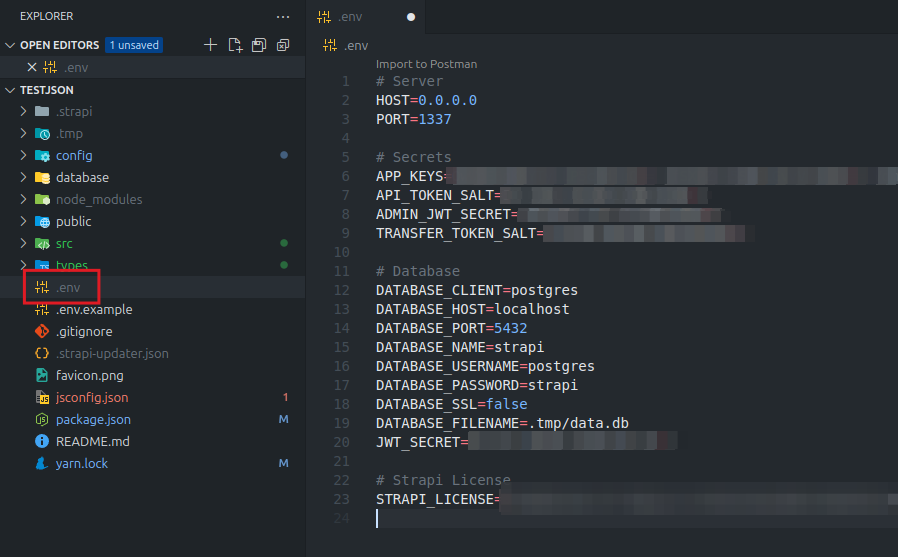
As an environment variable when running Strapi on the CLI (or via your deployment system's environment variables)
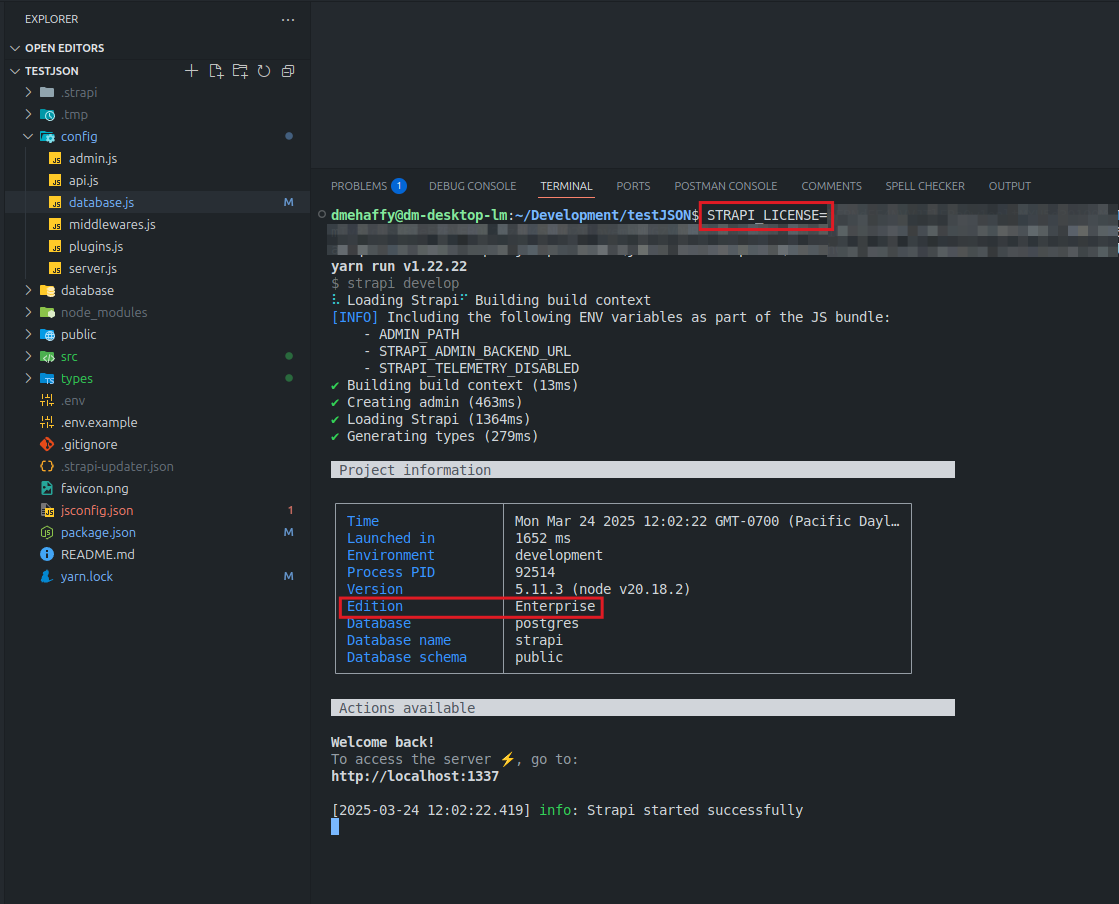
Once your license been set, ensure your application has been restarted, within the startup message you should see "Edition Enterprise" (even if you purchased a Growth license)
Note: Premium features in the admin panel will still display the "⚡ Premium Feature" tag even after your license is activated. This is expected behavior and indicates the feature requires a paid license, not that it's unavailable to you. The feature should be fully functional if your license includes it.
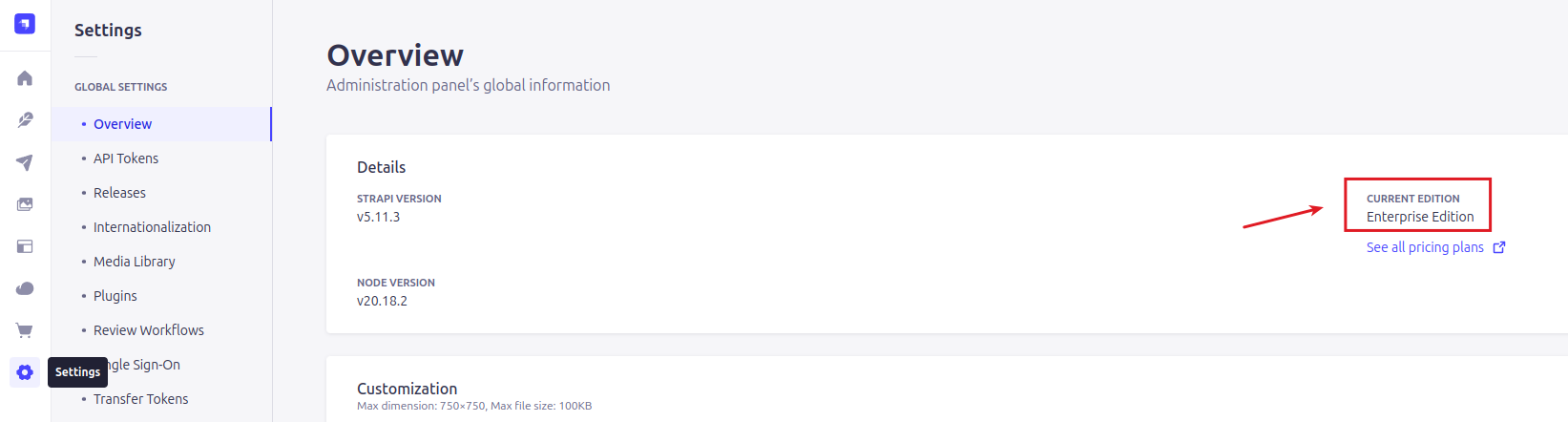
Alternatively you can see the license version within the Strapi Admin panel as well under Settings